
Description
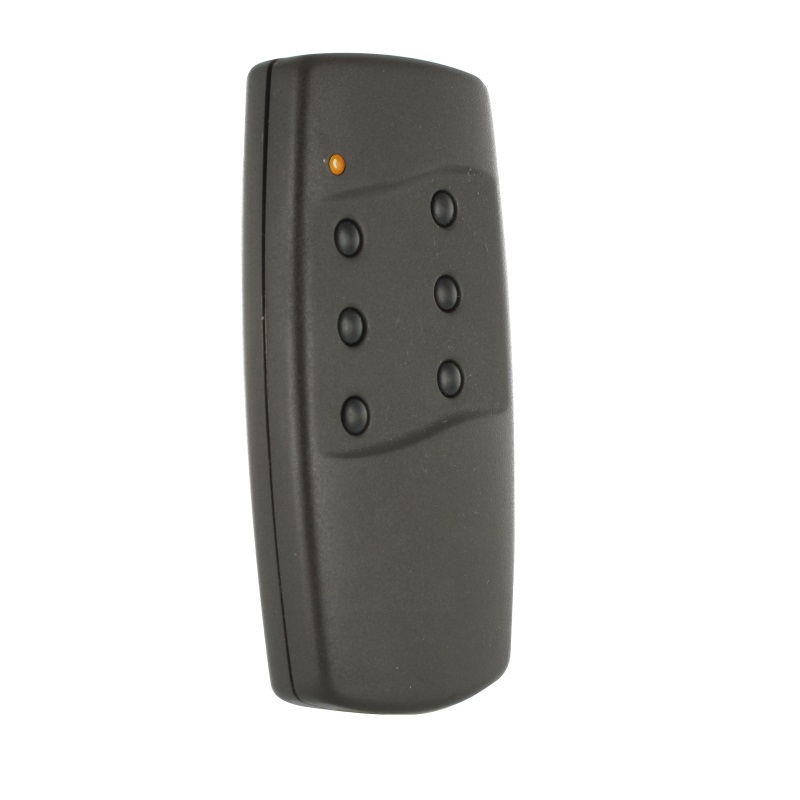
The Tedsen SKX6HD remote control will allow you to operate your motors from a distance with complete ease! A high-quality remote control provided with a user guide for quick and easy programming, with no additional equipment required.
62.96€
 Fast delivery !
Product Out of stock
 Batteries* and instructions included
* Batteries included for gate and garage remote controls.
 Technical service at your service
 14 days to change your mind




The Tedsen SKX6HD remote control will allow you to operate your motors from a distance with complete ease! A high-quality remote control provided with a user guide for quick and easy programming, with no additional equipment required.
The Tedsen SKX6HD remote control is designed to control your automation systems and your gate and garage door motors. This unit is programmable via mini-switches.
It offers a good grip and has 6 black buttons. It operates with a 12V(23A) battery on a frequency of 433.92MHz. It is a durable 6-channel transmitter that allows you to control up to 6 automation systems.
The Tedsen SKX6HD is quick and easy to program thanks to its 9 mini-switches. You just need to copy the position of the switches from your receiver to program it. For more details, please refer to the manual available for download or check the section “How to program your Tedsen SKX6HD remote control?” below.
The Tedsen SKX6HD is compatible with the following remote controls:
If you notice that your Tedsen remote control is starting to weaken, it’s time to change the batteries. To do this, simply slide the panel located at the bottom of the remote control. Once you have access to the battery, remove it and place the new one, respecting the indicated polarity. If you wish, you can purchase replacement batteries by clicking here: Duracell 12V 23A Batteries
If you live in a condominium, you may not be able to program your remote control. Indeed, the condominium may reserve the right to block the registration of remote controls. To be sure, contact your condominium management.